
How to Pay for Facebook Ads from Nepal (2026 Guide)
By Aryan Pariyar7 min read
Quick answer
To pay for Facebook ads from Nepal, get a prepaid USD dollar card from a Nepali bank, load it with rupees converted to dollars, and add the card as the payment method in Meta Ads Manager. Individuals can load up to USD 500 a year under Nepal Rastra Bank rules, with higher limits only for people and firms that qualify through foreign income or the newer IT card rules.
How to pay for Facebook ads from Nepal: the short answer
If you want to pay for Facebook ads from Nepal, the standard route is a prepaid dollar card issued by a Nepali bank. You deposit rupees, the bank converts them to US dollars, and Facebook charges the card in USD whenever your ad spend reaches your billing threshold.
Ordinary Nepali debit and credit cards usually do not work for Facebook ads because they are not enabled for international online payments. Global IME Bank says this directly in its own guide to boosting posts, which is why dollar cards became the default for page owners, freelancers and agencies.
Nepal Rastra Bank (NRB) allowed banks to issue these cards in 2021 with an annual limit of USD 500. That cap still applies to ordinary individuals, so planning around it is part of paying for ads here.
Step 1: Get a dollar card from your bank
Most Class A commercial banks now issue a dollar card. Names differ: Global IME calls it the E-Com Visa Dollar Card, NIC ASIA the FCY Freedom Card, Nabil the iCard and Laxmi Sunrise the OrangE-Card. They all do the same job: online payments in USD, with no ATM or POS use.
The paperwork is light. Banks typically ask for an application form, a declaration that you hold only one such card, your PAN, and updated KYC. Some banks also accept firms and companies with a PAN or VAT certificate, which matters if your agency is registered.
- An active account at the issuing bank (most banks require this)
- PAN card or PAN/VAT certificate for a firm
- Citizenship certificate and KYC form
- Issuance fee, which varies by bank (published fees range from about Rs. 500 to Rs. 1,000)
Step 2: Load the card in USD
Loading means moving rupees from your account into the card. The bank converts at its own selling rate on that day and may charge a load or top-up fee. Some banks let you load free through their mobile app; others charge Rs. 100 to Rs. 500 per load at a branch.
Load a little more than you expect to spend. If the card is short by even a few cents when Facebook tries to charge, the payment fails and your ads can stop.
Step 3: Add the card in Meta Ads Manager
Facebook does not charge you the moment an ad starts. It adds up your spend and charges the card when you reach your billing threshold, or at the end of the monthly billing cycle if you don't. New accounts start with a low threshold that rises as payments succeed.
- Open Meta Ads Manager on desktop and go to Billing & payments.
- Choose Add payment method and select credit or debit card.
- Enter the card number, expiry date and CVV exactly as shown in your bank app.
- Use a billing address that matches the bank's records for you or your firm.
- Complete any 3D Secure or OTP step the bank sends.
- Set this card as the primary payment method for the ad account.
Step 4: Plan around the USD 500 yearly limit
For an individual, USD 500 a year is roughly USD 40 a month. That is enough for a small shop boosting a few posts, but not for anyone running ads for clients.
NRB rules give two ways up. If you earn foreign currency income, banks such as Laxmi Sunrise and Siddhartha say you can load additional funds up to USD 5,000. And from April 2026, NRB allowed banks to issue IT prepaid cards with a USD 3,000 annual limit for IT, communication and information broadcasting services, with higher limits for exporters. Whether your ad spend qualifies under the IT card is a question for your bank, because it depends on how they apply the circular.
Read our guide to the dollar card limit in Nepal for the details.
What paying for ads really costs in rupees
The dollar amount in Ads Manager is not your full cost. Three things sit on top of it: the bank's selling rate for USD, which is above the mid-market rate; any top-up fee each time you load; and the one-time issuance fee plus any renewal fee for the card.
If you charge clients for ads, price in rupees from your real cost per dollar, not from the rate you saw in the news. Work it out from your last few loads: total rupees that left your account divided by total dollars that arrived on the card.
- Prefer a card you can top up free from the app if you load often.
- Load fewer, larger amounts if your bank charges per load, within your limit.
- Re-check your real rate every month, because the bank's rate moves.
Keep your payments from failing
Most payment problems come down to one thing: the card did not have enough dollars when Facebook tried to charge. Meta's own advice is to keep enough funds on the card, check that it is not expiring, and add a backup payment method so ads are not paused.
- Check the card balance before you launch or extend a campaign.
- Remember the yearly limit counts loads, not just spending.
- Don't hit Pay Now over and over after a decline; fix the balance first.
- Keep a second card or a second person's card for backup, within the rules.
Track what each rupee actually bought
Once you pay for ads for more than one client, the hard part is no longer paying. It is knowing which load paid for which campaign, how much the card fee cost you, and whether the client paid you back.
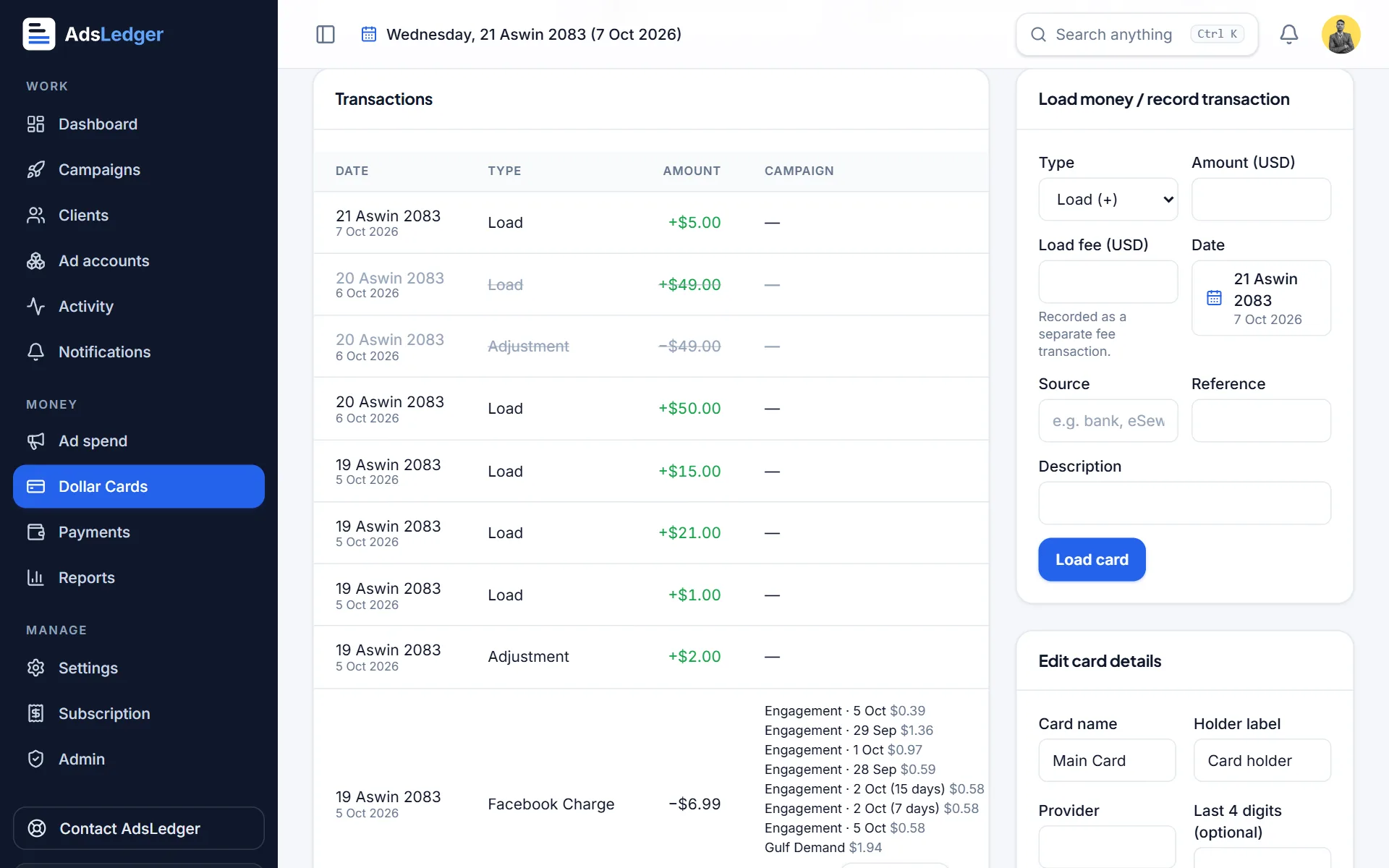
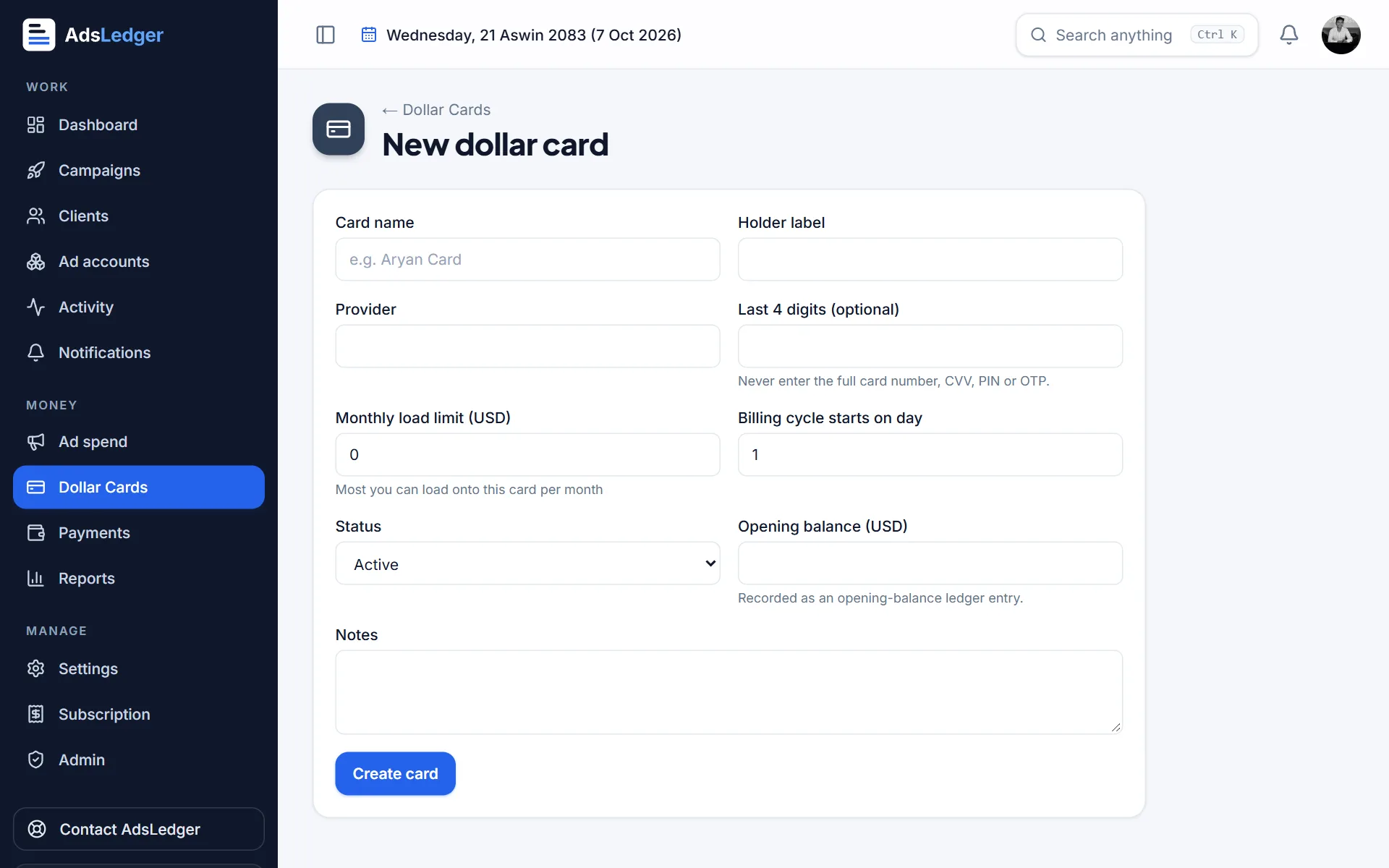
AdsLedger was built for this. You record each card load in rupees and dollars, each Facebook charge, and fees and refunds; it shows the card balance, the yearly limit left, and any shortage for campaigns that are still running. The load a dollar card tutorial shows the flow.
Frequently asked questions
Can I pay for Facebook ads with a normal Nepali debit card?
Usually not. Most Nepali debit and credit cards are not enabled for international online payments, so Facebook declines them. A prepaid dollar card from a Nepali bank is the standard way to pay.
How much can I spend on Facebook ads per year from Nepal?
An individual's dollar card has a USD 500 annual limit under NRB rules. Cardholders with foreign income can load more, up to USD 5,000 at banks that offer it, and the April 2026 IT card rules allow USD 3,000 for IT and broadcasting services. Ask your bank which limit applies to you.
Can I use eSewa or Khalti to pay for Facebook ads?
Not directly. Ads Manager shows card-based options for most Nepali ad accounts, so check the payment methods listed in your own account. You can, however, use your bank's mobile app or wallet-linked account to load your dollar card, depending on what your bank supports.
When does Facebook charge my dollar card?
Facebook charges when your ad spend reaches your billing threshold, or on your monthly bill date if you don't reach it. Keep enough balance on the card before either point.
Sources
- Boost Facebook Page Effectively in Nepal Using Global IME Bank E-COM Card
- Dollar Cards: Everything You Need to Know (Global IME Bank)
- Nepali banks can issue prepaid dollar cards now. Here are basics you need to know about (OnlineKhabar)
- CAN Federation welcomes NRB directive to expand foreign currency access for ICT sector (B360)
- Laxmi Sunrise Dollar Prepaid Card
- Prabhu Bank 500 Dollar Card
- About payment thresholds for Meta ads
- Best Practices for Preventing Payment Failures (Meta)
Fees, limits and rules change — always confirm with your bank, Meta or the Inland Revenue Department. Examples are illustrations, not quotes.

