
Load a dollar card (and record what it cost)
Record every dollar you load so the balance stays right, then record the rupee cost of the load under Money out.
3 steps2 min
Video coming soon
Follow the steps below in the meantime.
1Open the card
Go to Dollar Cards and open the card you loaded.
2Fill in Load money
In Load money / record transaction keep the type Load (+), enter the amount in USD, any load fee, the date and where the money came from. Press Load card.
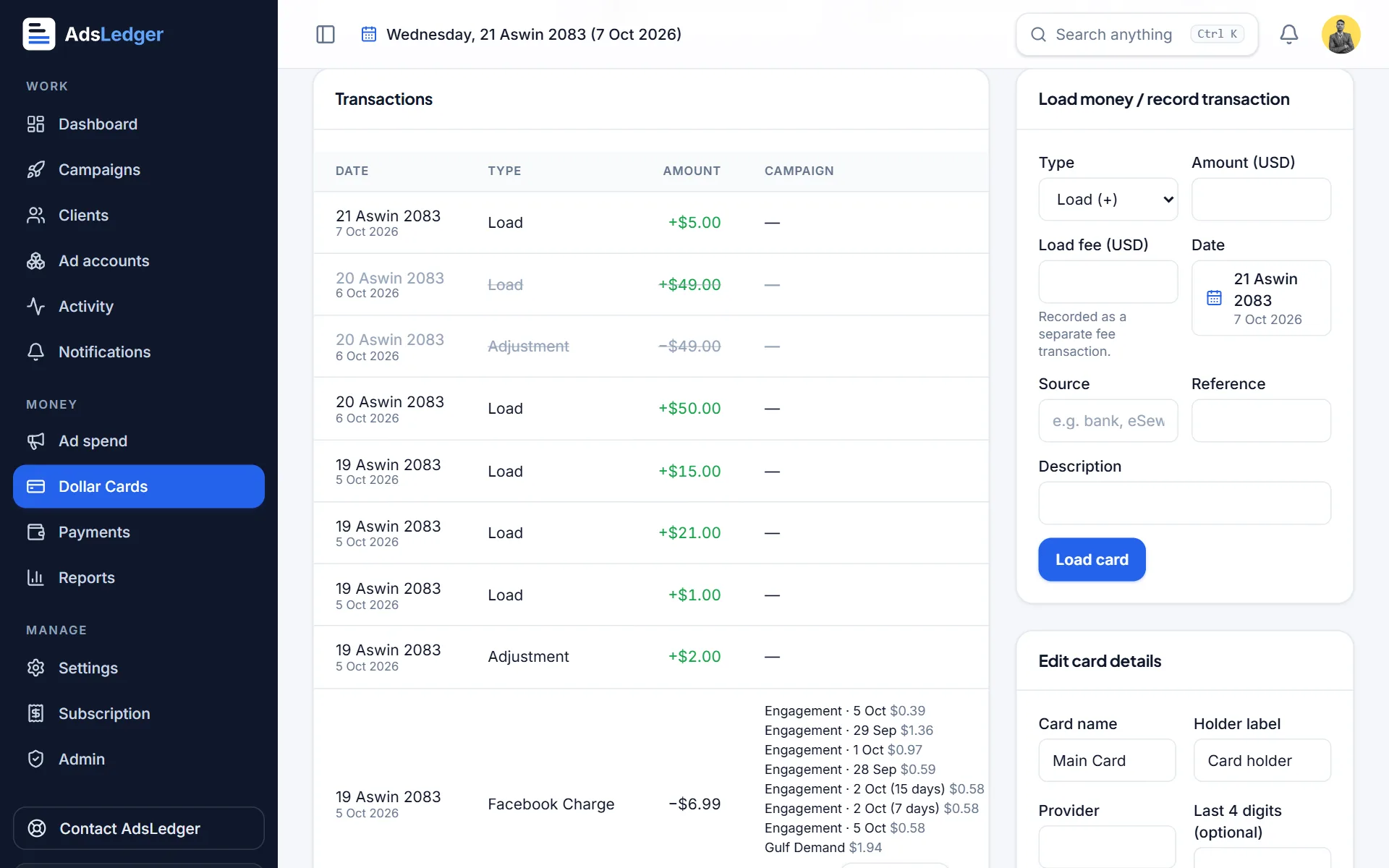
Load money form on a dollar card · sample names 3Record the rupee cost
Go to Payments → Money out. Loads without a rupee cost show + Cost — press it, enter what you paid in rupees, attach the bank screenshot and save. AdsLedger shows the rate you actually paid per dollar.
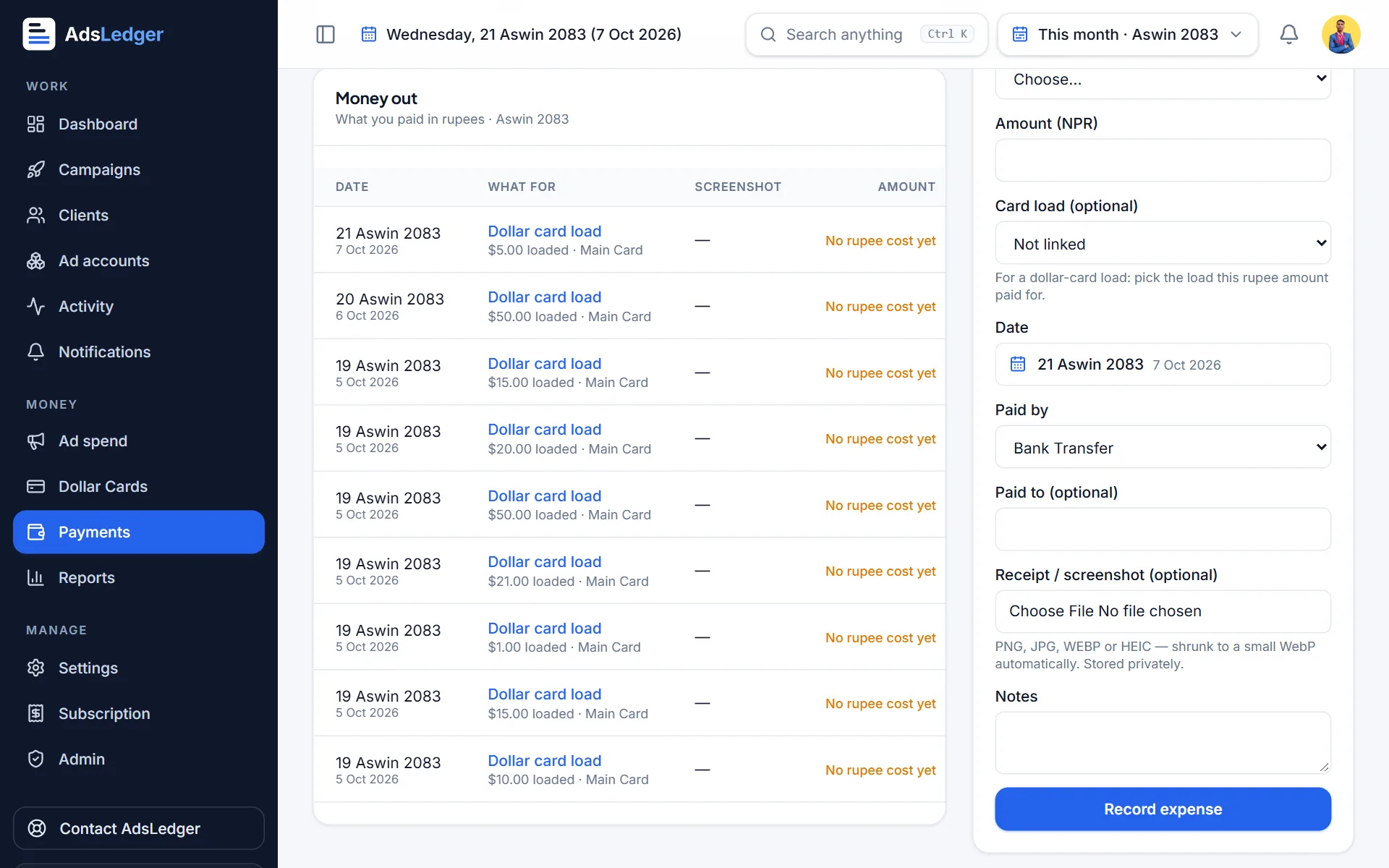
Money out with dollar-card loads waiting for their rupee cost · sample names

