
Create a campaign
Enter the client, daily budget and days — AdsLedger works out the end date, planned budget, client bill and expected profit, and can record the client's payment at the same time.
5 steps3 min
Video coming soon
Follow the steps below in the meantime.
1Open Campaigns → New campaign
Press New campaign on the Campaigns page (or the + button).
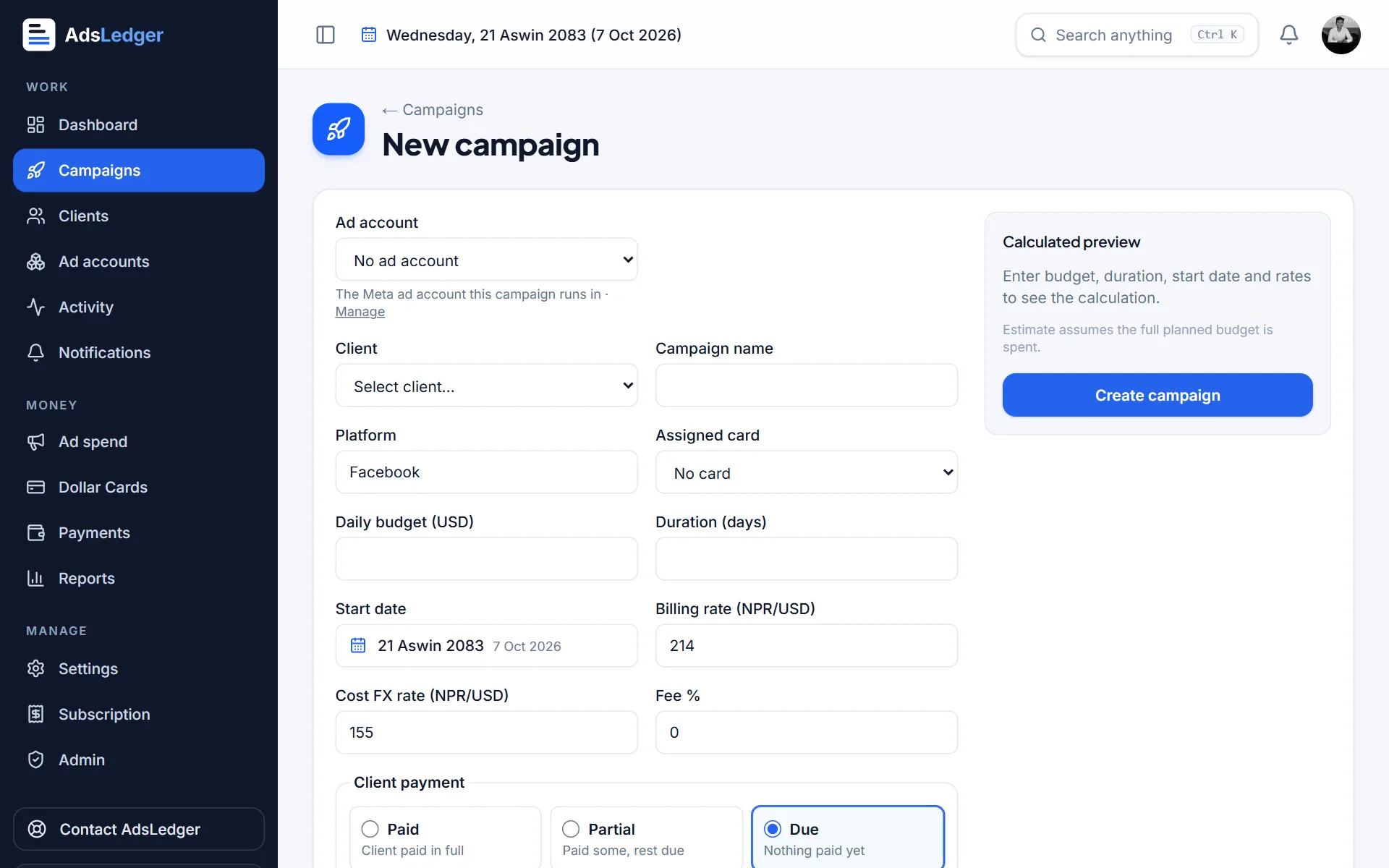
New campaign form with calculated preview · sample names 2Choose the ad account, client and card
Pick the ad account the campaign runs in, the client, a campaign name and the dollar card that pays for it.
3Enter budget, days and start date
Type the daily budget (USD) and duration (days). The Calculated preview shows the end date, planned budget, what the client pays in rupees and your expected profit before you save. Rates come from Settings but can be changed for this campaign.
4Record the client's payment
Under Client payment choose Paid, Partial or Due. Paid and Partial record the payment straight away (amount, method, date). Small differences round off automatically — for example Rs 3,800 paid on a Rs 3,852 bill.
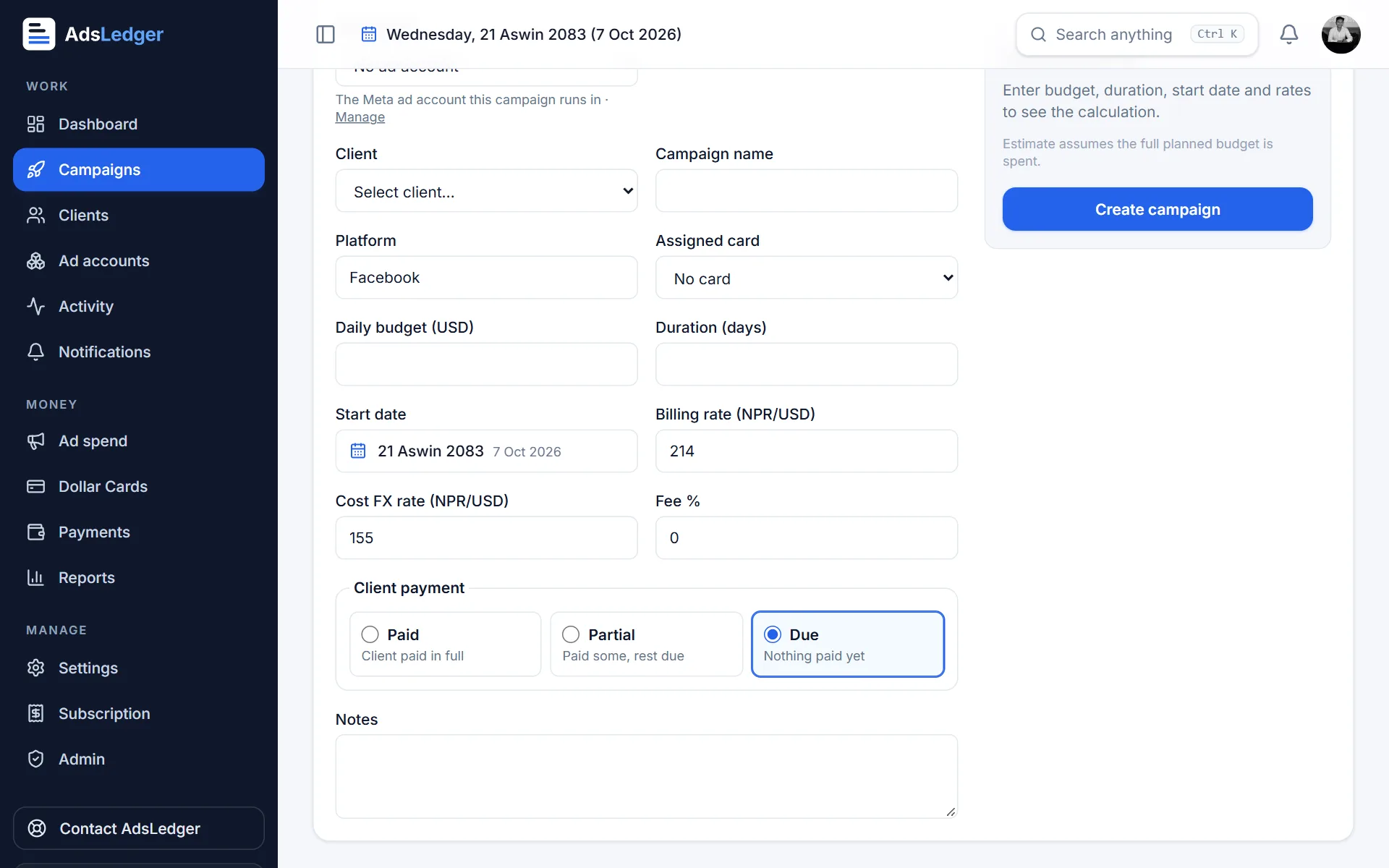
Client payment choices: Paid, Partial or Due · sample names 5Create and open the campaign
Press Create campaign. The campaign page shows spend against plan, days left, profit, payments and — when linked to Meta — live results.
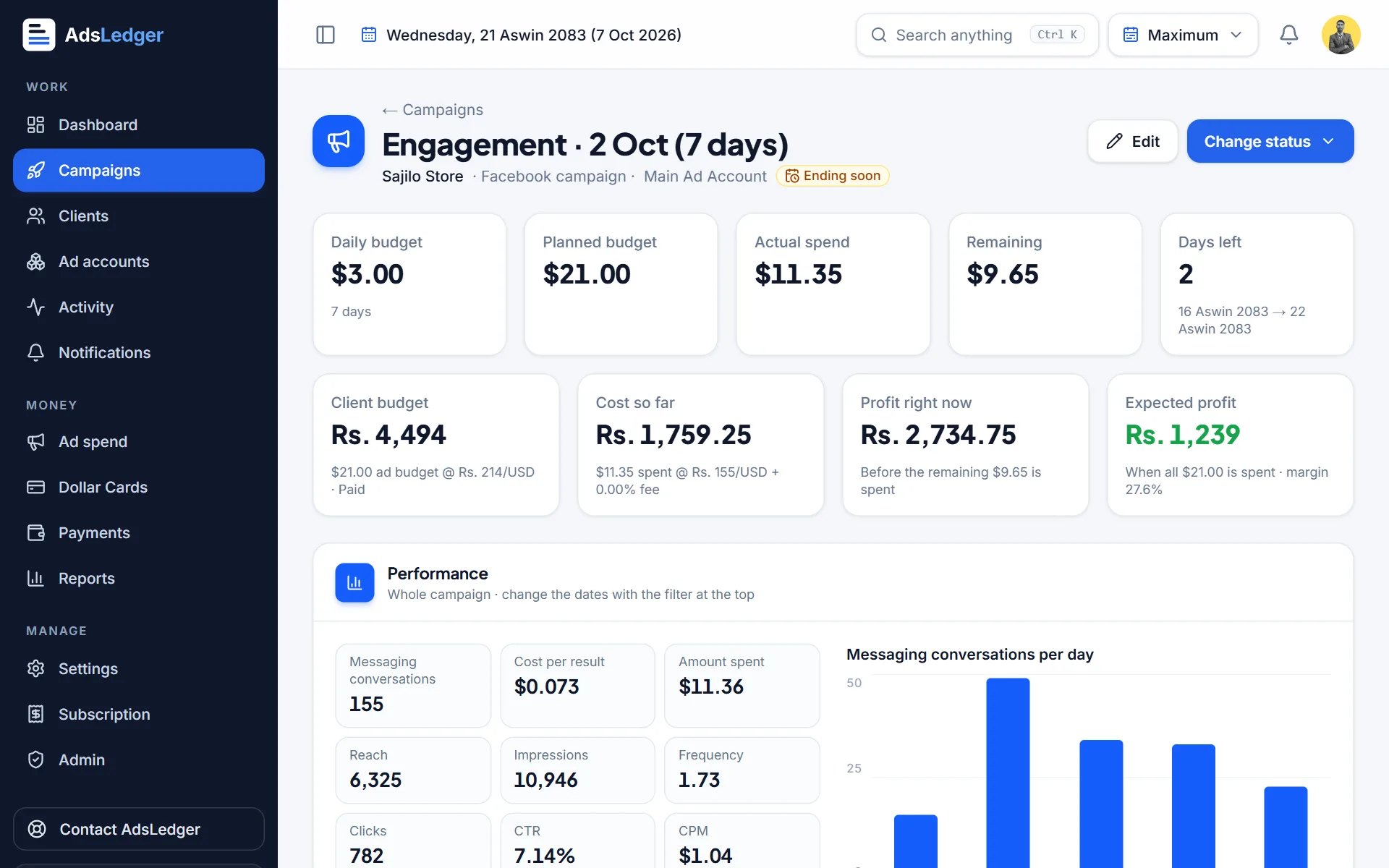
Campaign page with budget, spend and profit · sample names

