
Import Meta campaigns (and auto-import new ones)
Bring existing Meta campaigns into AdsLedger, link them to campaigns you already have, and map each Facebook Page to a client so new campaigns come in by themselves.
4 steps3 min
Video coming soon
Follow the steps below in the meantime.
1Open Import from Meta
On Campaigns press Import from Meta and choose an ad account. Active campaigns and ones that spent in the last 30 days are listed with budget, dates and spend.
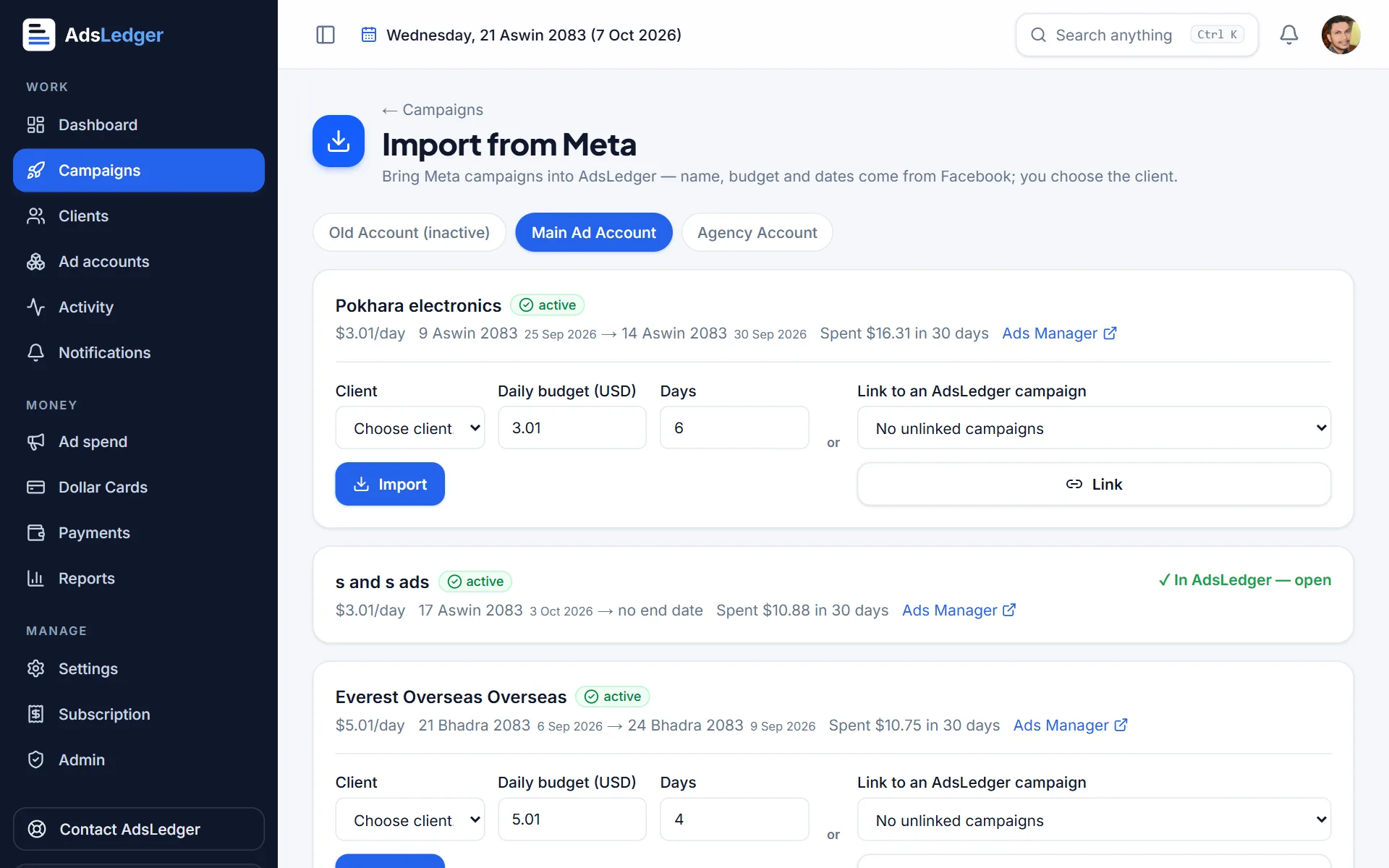
Import from Meta page · sample names 2Import or link
Choose the client and press Import — name, budget and dates come from Meta. Or Link it to an AdsLedger campaign you already created.
3Map Facebook Pages to clients
When a new campaign runs on a Page AdsLedger doesn't know, Whose Facebook Page is this? appears at the top. Pick the client (or + New client) once — every future campaign on that Page imports automatically.
4See them in your list
Linked campaigns show the Facebook mark in the list, with spend synced from Meta.
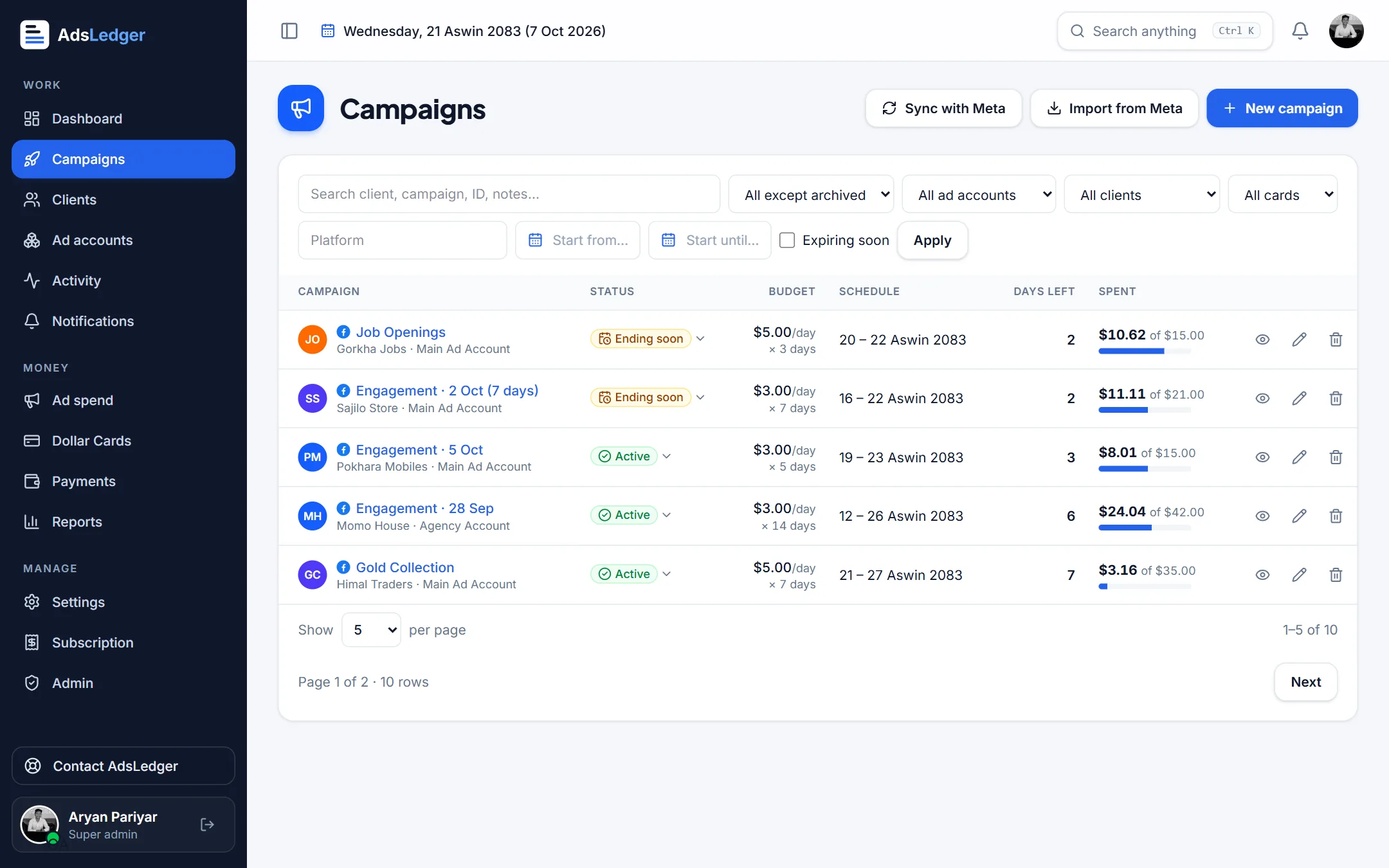
Campaigns list with Meta-linked campaigns · sample names

