
Connect Meta Ads
Connect your Meta Business once with your Business ID and a System User token. Ad accounts, campaigns, spend and results then come in automatically.
4 steps10 min
Video coming soon
Follow the steps below in the meantime.
1Create a System User token in Meta
In Meta Business Settings create a System User, give it access to your ad accounts, and generate a token with ads_read, ads_management and business_management only. Follow the illustrated step-by-step PDF guide. Never share the token or paste it in chat.
2Paste it in AdsLedger
Go to Settings → Meta Ads, enter your Business ID and the token and press Connect. The token is checked, then stored encrypted.
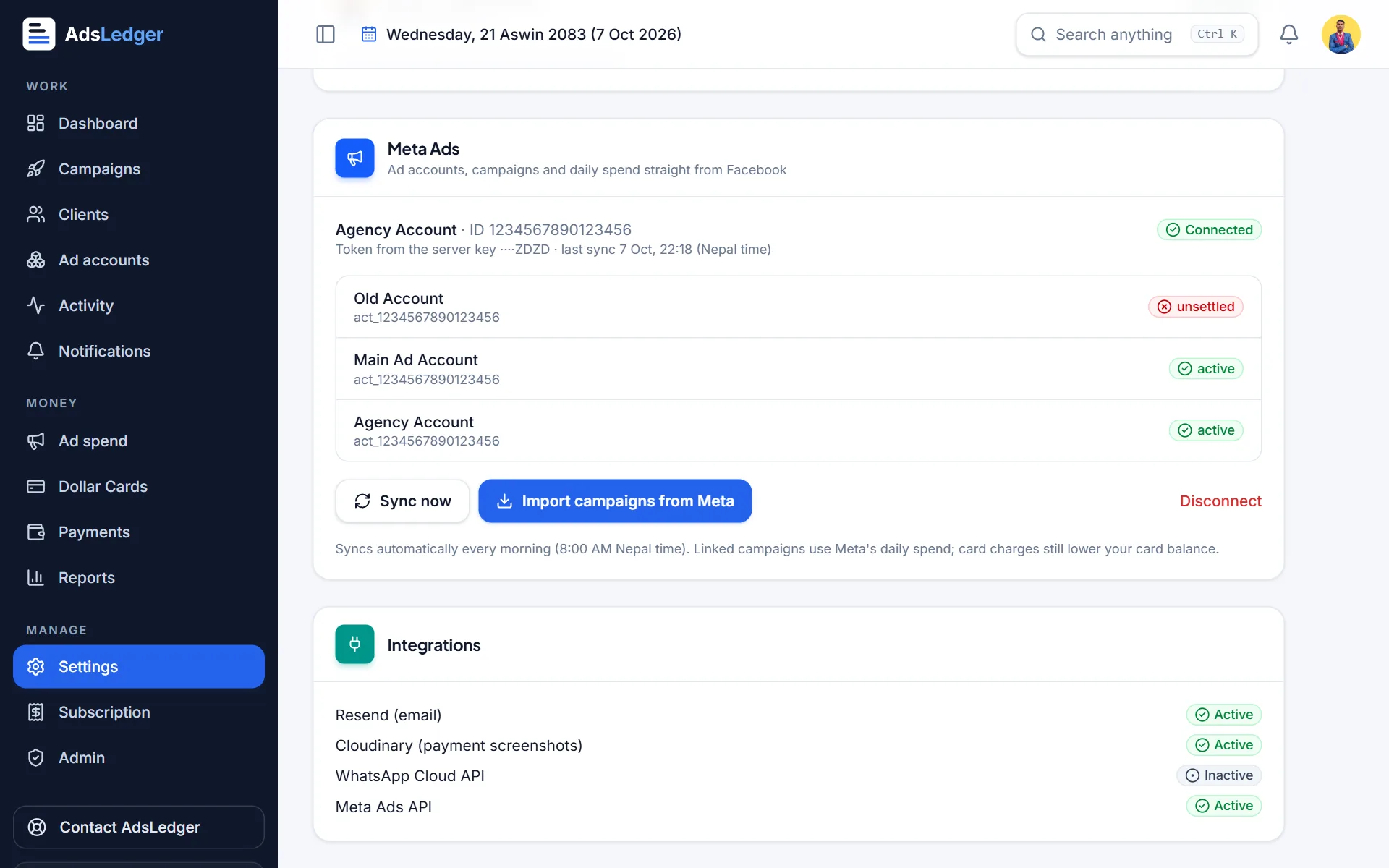
Meta Ads connection in Settings with ad accounts · sample names 3Check your ad accounts
All ad accounts the token can see appear with their status, and on the Ad accounts page.
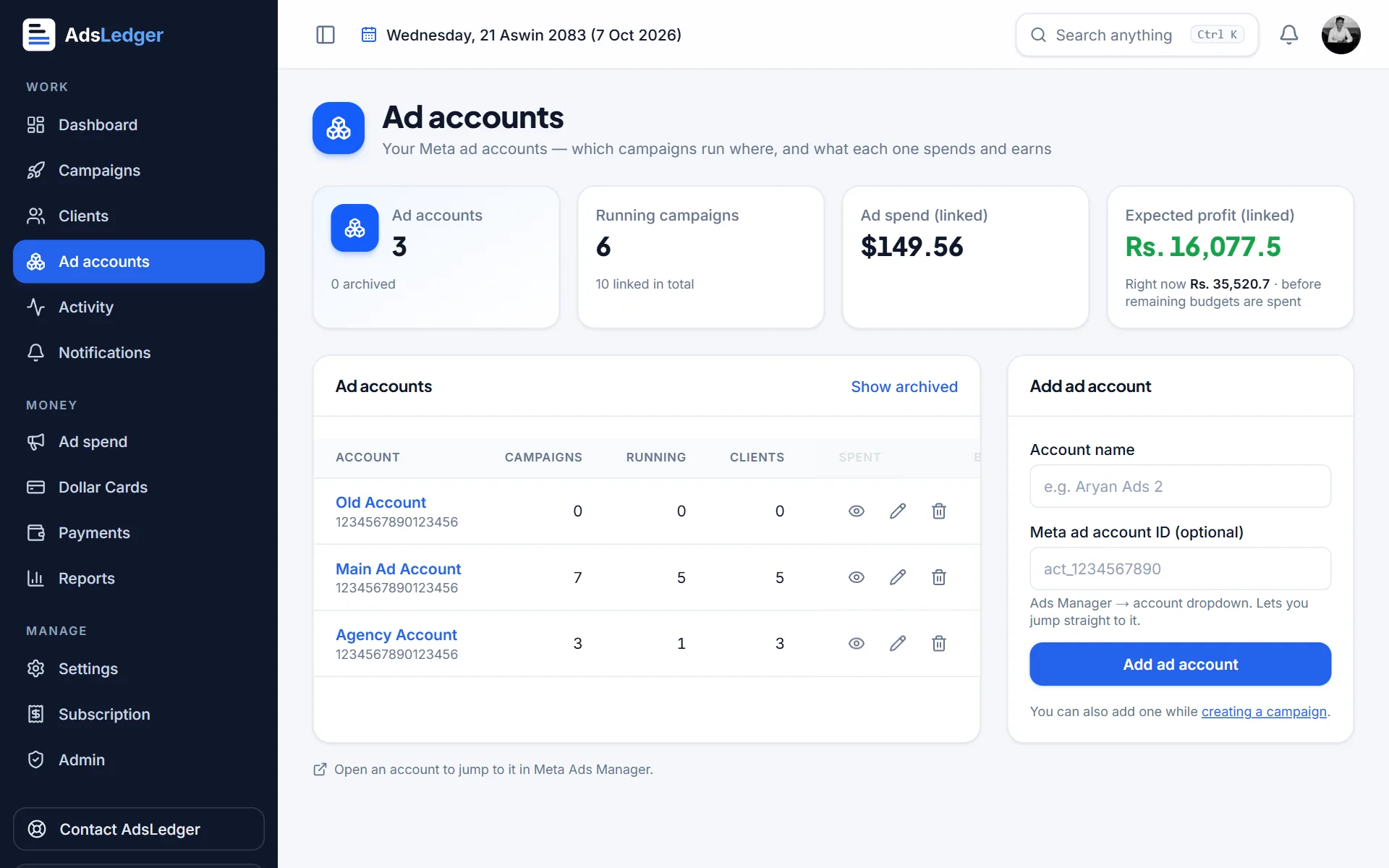
Ad accounts page · sample names 4Sync
Everything syncs every morning at 8 AM Nepal time, when you open Campaigns, and whenever you press Sync now.

