
Extend, pause, complete or stop a campaign
Change a campaign's status in one place — AdsLedger updates the bill, and for Meta-linked campaigns, Facebook too.
3 steps3 min
Video coming soon
Follow the steps below in the meantime.
1Change the status
Click the status badge in the Campaigns list (or Change status on the campaign page). Paused keeps the bill; Completed can bill only the days that ran; Stopped (off) bills only what was spent and keeps the rest as client credit; Archived hides it. Linked campaigns are paused or turned on in Ads Manager as well.
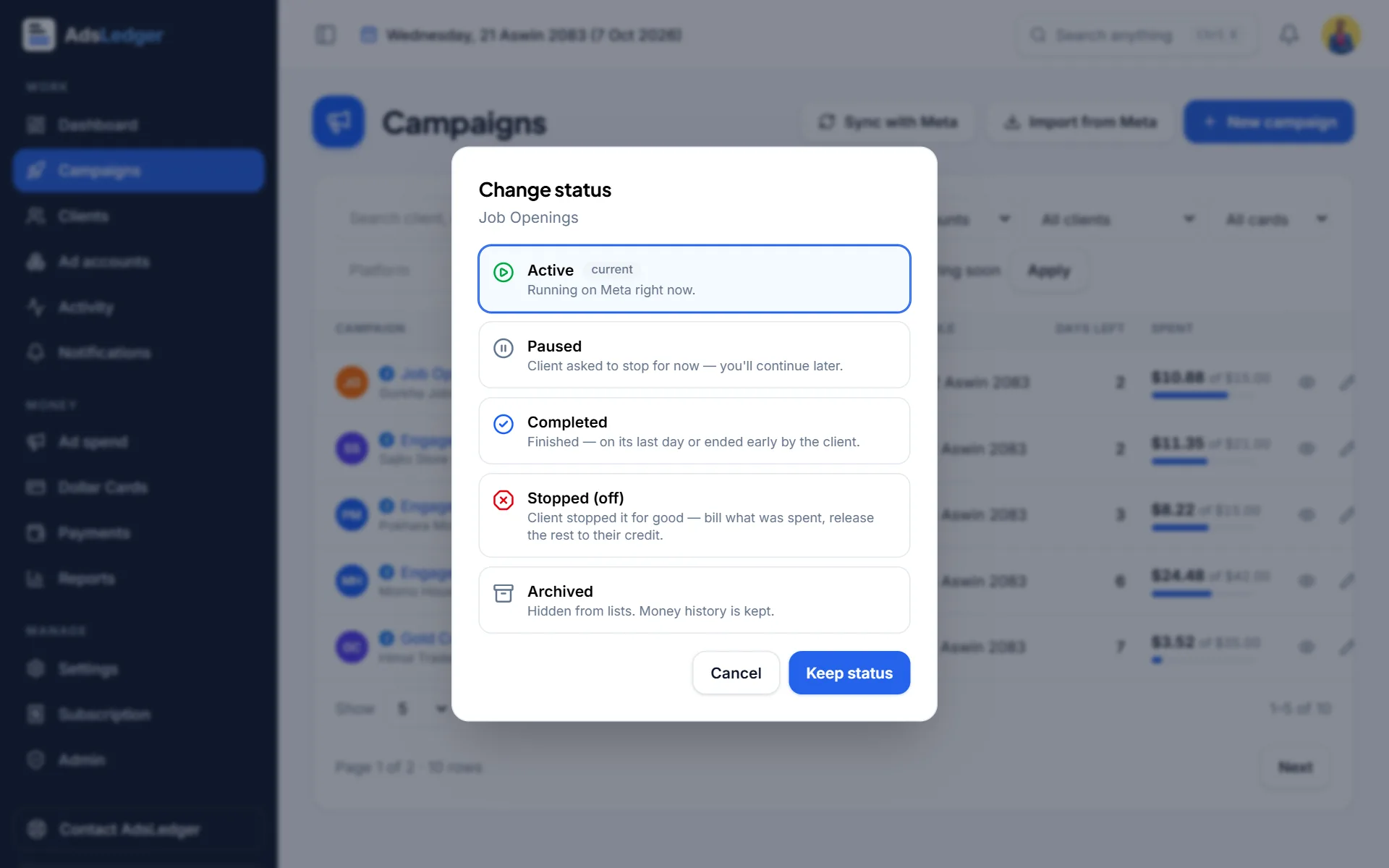
Change status dialog with Active, Paused, Completed, Stopped and Archived · sample names 2Extend the campaign
On the campaign page use Extend campaign: enter the extra days and the day they start (today by default — gap days aren't billed). Tick Also extend on Facebook to move the end date in Ads Manager.
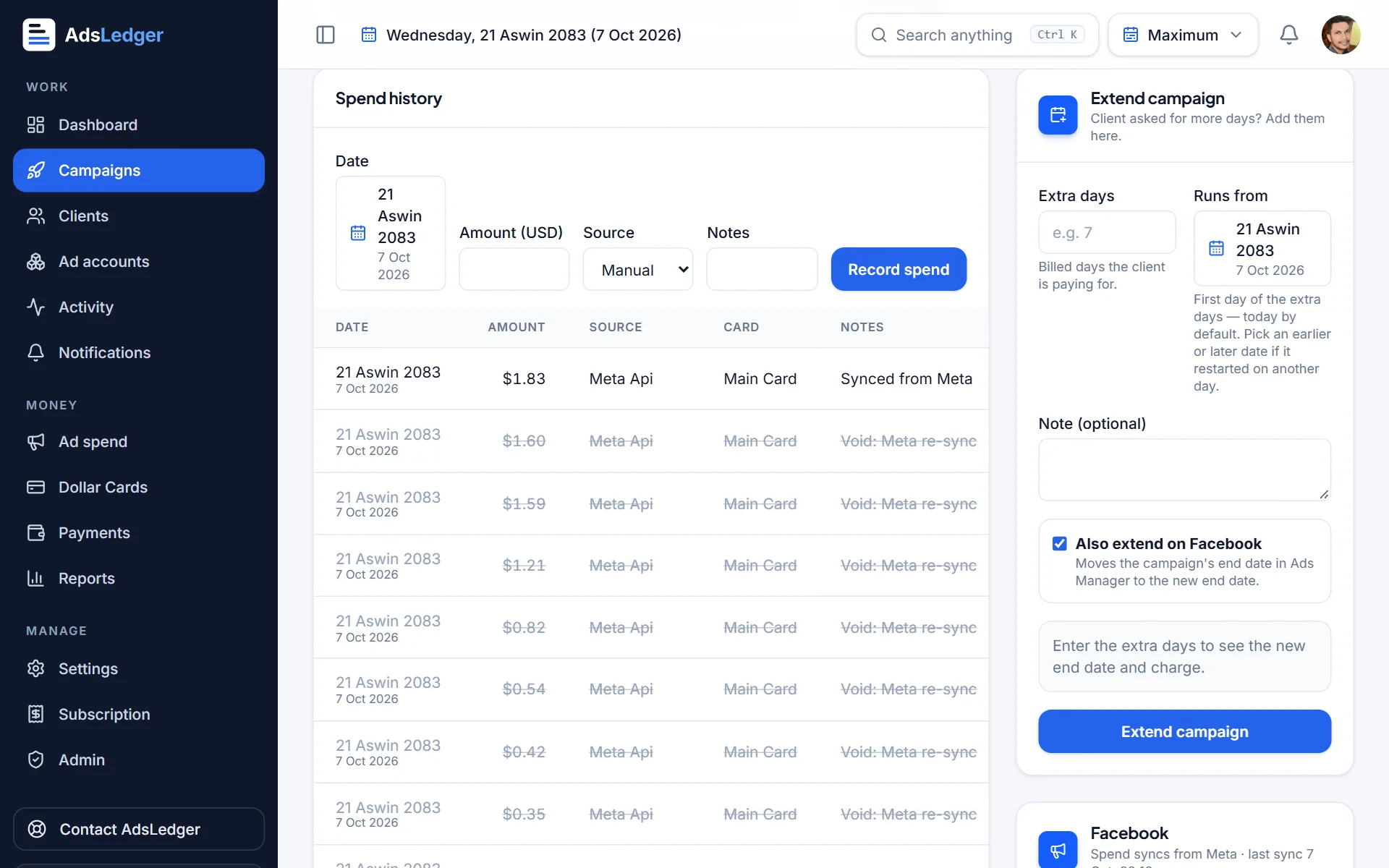
Extend campaign form · sample names 3Edit or remove an extension
The latest extension can be edited or removed from the extension history on the campaign page.

