
Record a client payment
Record eSewa, Khalti, bank or cash payments with the screenshot, so you always know who has paid and who still owes you.
4 steps2 min
Video coming soon
Follow the steps below in the meantime.
1Open Payments → Record payment
Choose the client and, if the payment is for one campaign, the campaign.
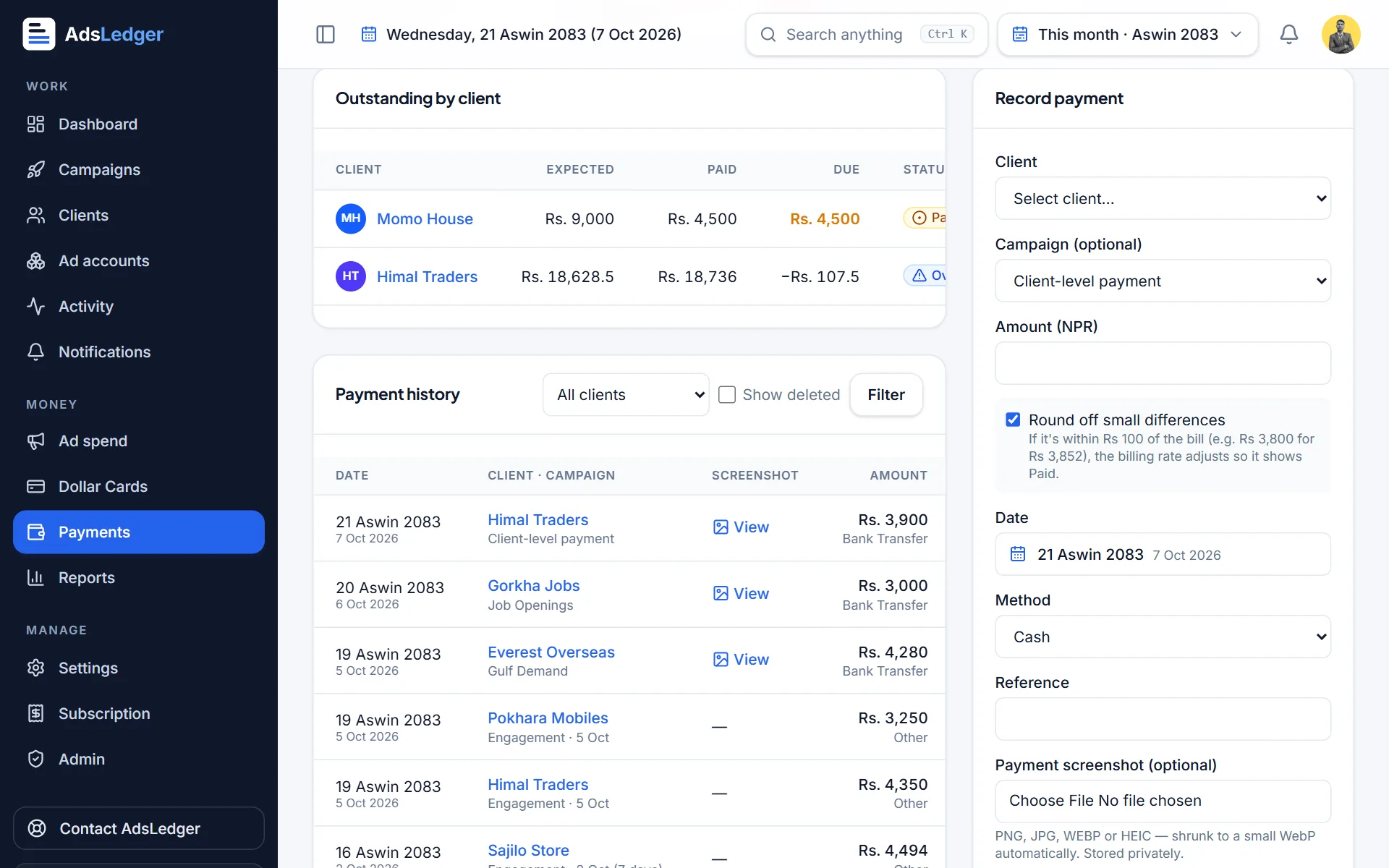
Record payment form · sample names 2Enter amount, method and date
Type the amount in rupees, choose eSewa, Khalti, bank transfer, cash or other, and the date. Leave Round off small differences ticked to settle small gaps automatically.
3Attach the screenshot
Add the payment screenshot. It's shrunk to a small WebP automatically and stored privately — only your team can open it.
4Check what's still due
Outstanding by client at the top of Payments shows expected, paid and due for every client.
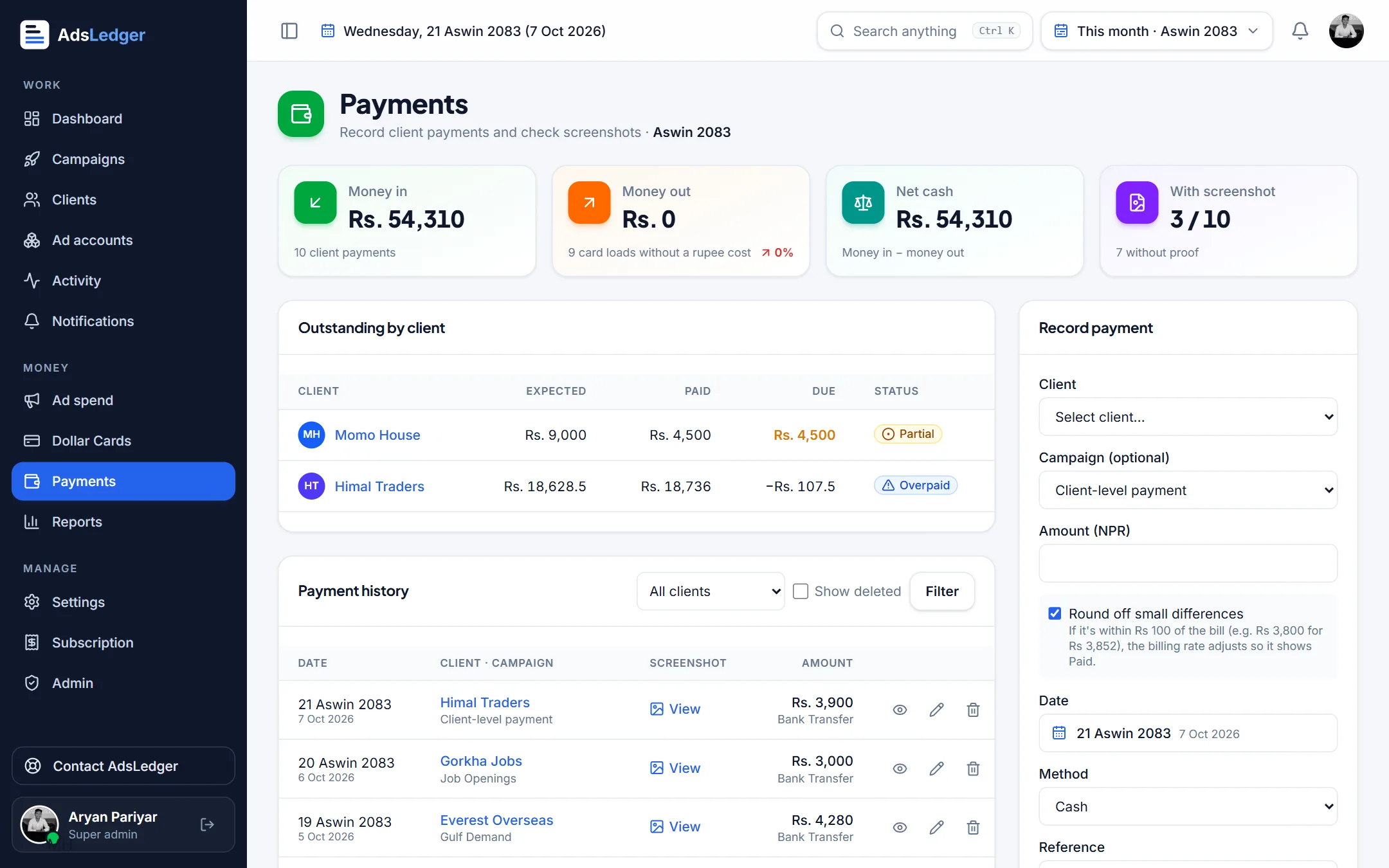
Payments page with money in, money out and outstanding balances · sample names

