
Add a dollar card
Add the USD card you pay Meta with, so AdsLedger can track its balance, monthly limit and how much your running campaigns still need.
3 steps2 min
Video coming soon
Follow the steps below in the meantime.
1Open Dollar Cards → New card
Go to Dollar Cards and press New card.
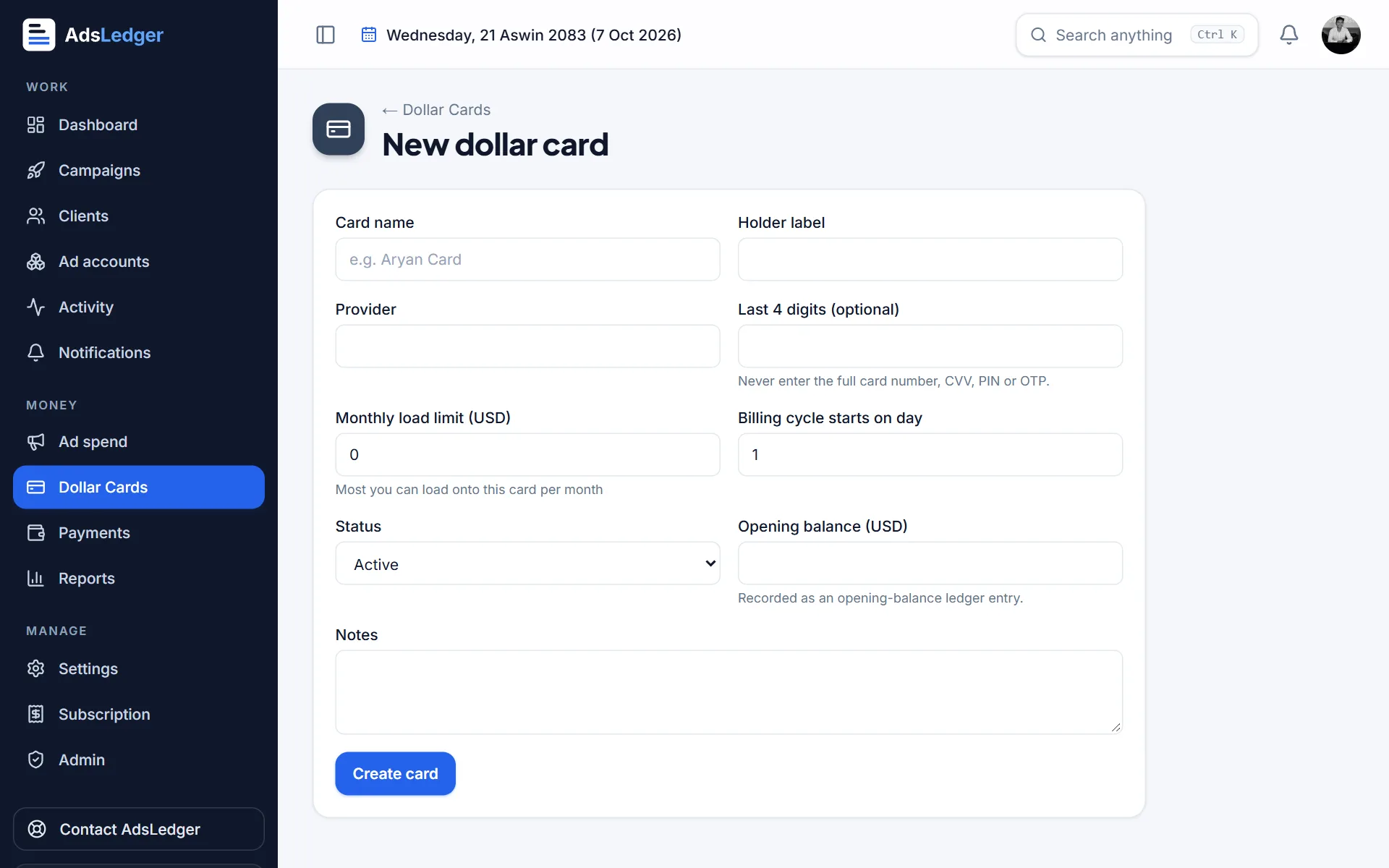
New dollar card form · sample names 2Name it and set the limit
Give the card a nickname (for example "Main Card"), the holder label and bank if you like, and its monthly limit in USD with the day the limit resets. Only the last 4 digits are optional — AdsLedger never stores full card numbers, CVV, PIN or OTP.
3Check the card page
The card page shows the balance worked out from loads and charges, the limit left this month, and the campaigns using the card.
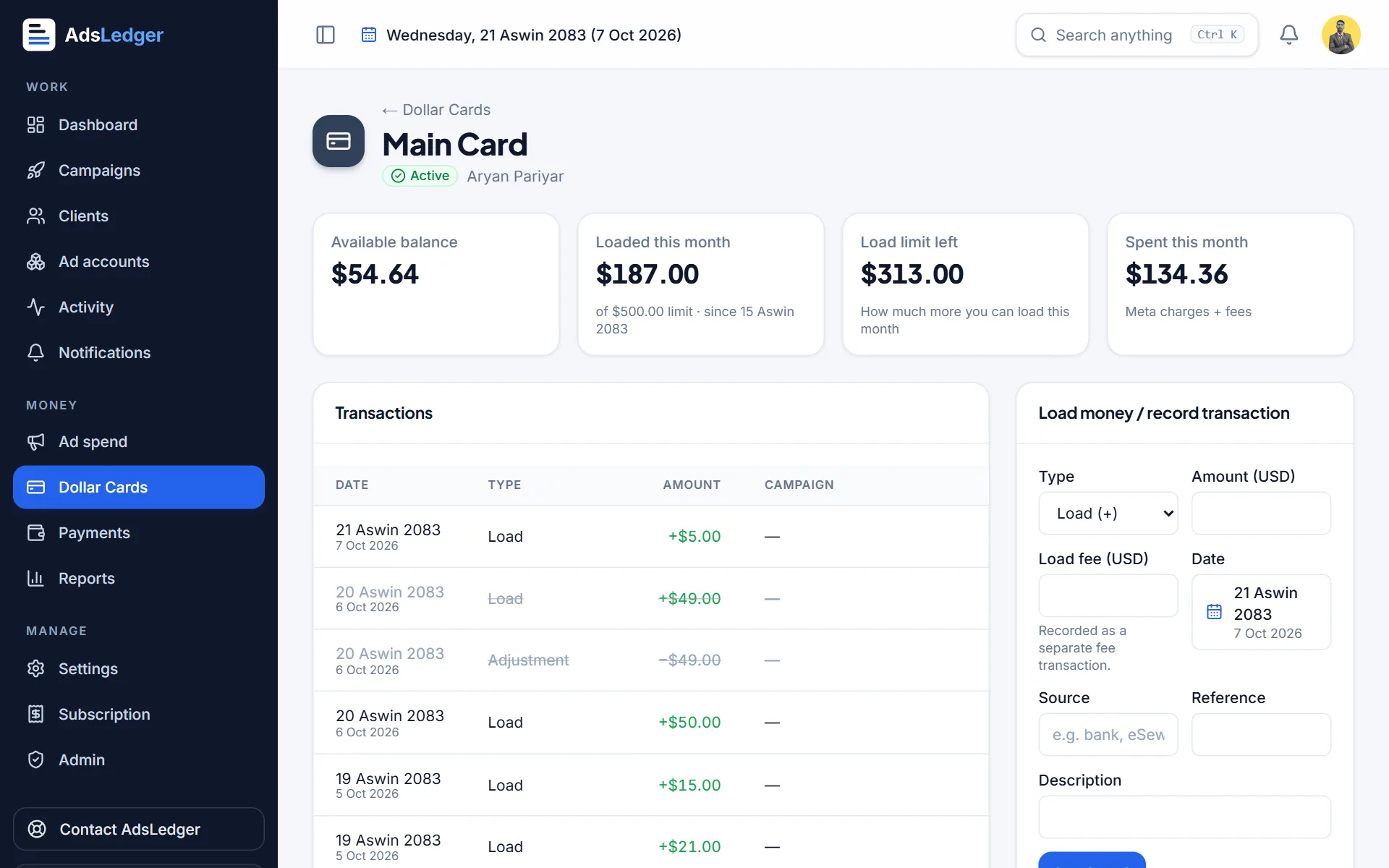
Dollar card page with balance and limit · sample names

