
AdsLedger vs Google Sheets for Facebook Ad Operators
By Aryan Pariyar7 min read
Quick answer
Google Sheets is free, flexible and great when you run a few campaigns and like building your own formulas. AdsLedger costs Rs. 249/month but syncs Meta spend, tracks dollar cards, client dues and profit per campaign without manual entry. If you manage more than a handful of clients, the time saved usually matters more than the fee.
Facebook ads tracking software vs Google Sheets: the quick verdict
When people compare facebook ads tracking software vs google sheets, they are really asking one thing: is my time worth more than the subscription? For a freelancer boosting posts for two or three shops, a well-built Google Sheet is often enough. For an operator with ten clients, several dollar cards and partial payments coming in on eSewa and Khalti, a purpose-built tool saves real hours.
This post compares Google Sheets with AdsLedger, the tool we make. We will be fair about where Sheets is better, because for some people it is.
What Google Sheets does well
Google Sheets earns its popularity. Here is what it genuinely does better than most dedicated tools:
- It's free with a Google account. No trial, no card needed.
- Total flexibility. You decide the columns, formulas and layout. If your business has an odd billing rule, you can model it.
- Real-time collaboration. Your partner, accountant or client can view or edit the same file, with comments and version history.
- Big capacity. Google says a spreadsheet can hold up to 20 million cells, far more than a small agency needs.
- Everyone knows it. No training. Any staff member can open it on a phone.
- Connectors exist. Paid add-ons can pull Meta Ads data into Sheets if you are willing to set them up and pay for them.
Where spreadsheets start to hurt
The problems with Sheets don't show on day one. They show in month three, when the file has 14 tabs and someone typed a rate in the wrong cell.
Common pain points for Nepali ad operators:
- Manual spend entry. Every day or week you copy spend from Ads Manager by hand. Miss one day and profit is wrong.
- Broken formulas. One deleted row or pasted value silently breaks totals. Nobody notices until a client disputes a bill.
- Dollar card math. Tracking loads, Meta charges, card fees, refunds and the rupee cost of each load across several cards gets messy fast.
- Partial payments. A client pays Rs. 2,000 on Khalti, then Rs. 1,800 by bank QR. Matching that to two campaigns in a sheet is fiddly.
- No Bikram Sambat. Sheets treats dates as AD, so BS dates end up as text you can't filter properly.
- No alerts. A sheet won't tell you a card is short for tomorrow's campaigns or a campaign ends today.
What AdsLedger does differently
AdsLedger is built for one job: running Facebook and Instagram ads for clients in Nepal and knowing what you earned.
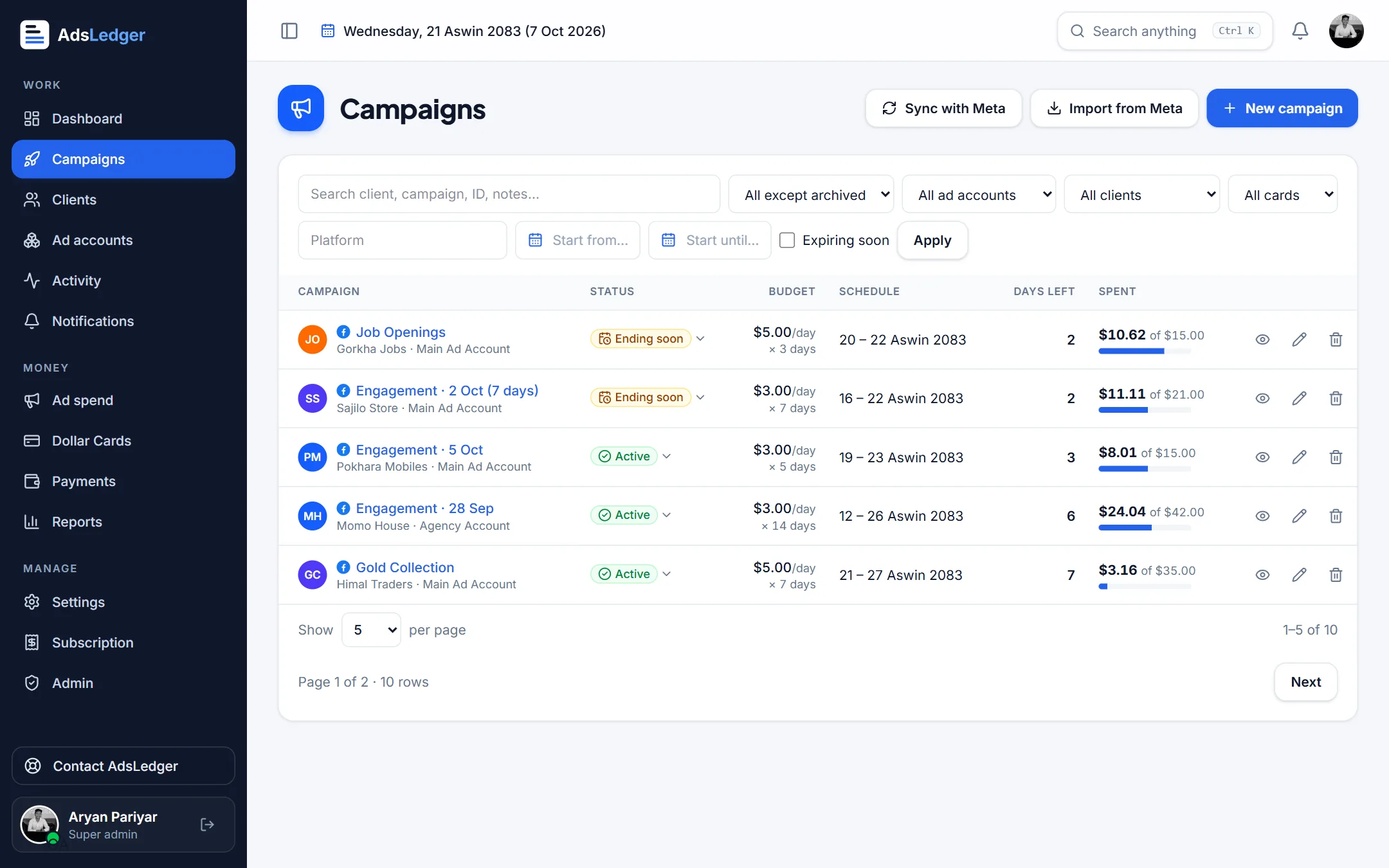
You connect Meta Business once, and ad accounts, campaigns and daily spend sync in. Each campaign has a client charge (daily budget x days x your billing rate) and the real ad cost (actual spend x your cost rate, plus card fees). Profit per campaign and per client is calculated for you.
Dollar cards have their own ledger: loads, Facebook charges, fees, refunds, balance and how much is short for active campaigns. Client payments record dues, partial payments and screenshots. Dates show in BS or AD.
Side-by-side comparison
- Price: Sheets is free. AdsLedger is Rs. 249/month after a 7-day free trial.
- Setup: Sheets needs you to design the template. AdsLedger needs you to add clients, cards and rates, or connect Meta.
- Meta spend: Sheets is manual unless you pay for a connector. AdsLedger syncs daily spend and results.
- Flexibility: Sheets wins. You can model anything. AdsLedger follows a fixed, opinionated workflow.
- Sharing: Sheets wins for open collaboration. AdsLedger sends results to clients by WhatsApp message instead of sharing the whole file.
- Dollar cards and fees: Possible in Sheets with effort. Built in with AdsLedger.
- Errors: Sheets depends on your formulas. AdsLedger uses the same formula every time.
- BS dates: Text workaround in Sheets. Native toggle in AdsLedger.
- Offline/export: Sheets is easy to download as Excel or CSV. Check that any tool you choose lets you get your data out.
A worked example: one campaign, two ways
Say a clothing shop wants a $10/day campaign for 7 days. You bill at Rs. 160 per dollar, and your card cost is Rs. 154 per dollar with a 2% card fee. These are example numbers. Check your own bank's rate and fee.
- In Sheets: create the row, type budget, days and rates, copy spend from Ads Manager each day, and check the formulas pull the right cells.
- In AdsLedger: create or import the campaign, and spend syncs from Meta. Charge, cost, fees and profit fill in, and the client's due updates.
- If the client stops early, Sheets needs a manual credit note. AdsLedger's 'Stopped' status bills only what was spent and moves the rest to client credit.
Which should you choose?
Pick Google Sheets if you have a few clients, simple flat billing, you enjoy building templates, or cash is very tight right now.
Pick AdsLedger if you manage many clients or ad accounts, use more than one dollar card, take partial payments, or have ever lost money because of a missed spend entry.
A sensible path: start in Sheets, and when you notice you're spending an hour a week copying numbers, try the 7-day free trial. You can run both side by side for a month and see which numbers you trust.
Frequently asked questions
Is Google Sheets good enough to track Facebook ads?
Yes, for small volumes. A simple sheet with budget, days, rates and spend works well for a few campaigns. It becomes risky when you have many clients, cards and partial payments, because everything relies on manual entry and correct formulas.
Can Google Sheets pull Facebook ad spend automatically?
Not on its own. You need a third-party connector add-on, most of which are paid, or a custom script using the Meta Marketing API. Otherwise you copy spend from Ads Manager by hand.
How much does AdsLedger cost?
Rs. 249 per month after a 7-day free trial. You sign in with Google.
Can I move from Google Sheets to AdsLedger later?
Yes. Add your clients, cards and exchange rates, then connect Meta to import current campaigns. Keep your old sheet as an archive for past months.
Sources
- Use both Excel and Sheets: Best practices (Google Docs Editors Help)
- Files you can store in Google Drive (Google Drive Help)
- About Meta Ads Reporting (Meta Business Help Center)
- How Meta Charges for Ads (Meta Business Help Center)
Fees, limits and rules change — always confirm with your bank, Meta or the Inland Revenue Department. Examples are illustrations, not quotes.

