
How to Load a Dollar Card in Nepal, Step by Step
By Aryan Pariyar6 min read
Quick answer
To load a dollar card in Nepal, transfer rupees from your account to the card through your bank's mobile app, or deposit at a branch; the bank converts at its selling rate and may charge a top-up fee. App top-ups are free at some banks (Global IME is one published example), while others charge Rs. 100 to Rs. 500 per load, so check your bank's tariff.
How to load a dollar card in Nepal: the two ways
There are two ways to load a dollar card in Nepal: from your bank's mobile app or internet banking, or over the counter at a branch. Either way, rupees leave your account, the bank converts them to US dollars at its rate for that day, and the dollars land on the card.
Which way is better depends on your bank. Global IME Bank, for example, publishes a free top-up through mobile banking and a Rs. 100 fee at the branch. Other banks charge per load regardless of channel: Prabhu Bank lists Rs. 250 per top-up after the first, and NIC ASIA lists a Rs. 500 cash load fee for its FCY Freedom Card.
Loading from the mobile app
Menu names differ between banks, but the flow is similar. Global IME's guide, for instance, mentions loading through its GlobalSmart+ app.
- Make sure the rupee account linked to your card has enough balance, including any fee.
- Open your bank's mobile app and find Cards, then your dollar or e-com card.
- Choose Load, Top up or Fund transfer to card.
- Enter the amount in USD (some apps ask in NPR); the app shows the rupee cost.
- Confirm with your MPIN or OTP.
- Check the card balance in the app before you use it on Facebook.
Loading at a bank branch
Branch loading is the fallback if your app doesn't support card top-ups, or if you're loading on behalf of a firm and need a signed voucher. It takes longer, so don't leave it until the evening before a big campaign starts.
- Bring your card details or card number and your citizenship or PAN.
- Fill in the card load or top-up form with the USD amount.
- Pay in cash or authorize a debit from your account.
- Keep the deposit voucher; it shows the rate and any charge.
- Check the balance in the app or with the bank before running ads.
What rate and fee you actually pay
Your bank converts at its own selling rate for US dollars, which is close to but above Nepal Rastra Bank's published reference rate. The difference is part of what loading costs you. Add the top-up fee and you get your real cost per dollar.
Work out that real rate for every load. It is the number you should use when pricing ads for clients.
Rates move every day, and banks don't all quote the same selling rate. If you load often, compare your bank's rate board with Nepal Rastra Bank's published reference rates for a week or two. You'll see how big your bank's margin usually is, and whether loading on a particular day or through a particular channel makes a difference.
How much to load at a time
Two things pull in opposite directions. Your yearly limit (USD 500 for most individuals) counts every load, so loading too much ties up limit you might need later. But if your bank charges per load, many small loads cost more in fees.
A practical middle ground for ad buyers is to load for the campaigns you have confirmed, plus a small buffer for Facebook's next charge.
- Add up daily budget × days left for every campaign on the card.
- Subtract the current card balance.
- Add a buffer of a few dollars for rounding and any extra spend.
- Load that amount, not a round number you picked by habit.
Loading when a client has paid you
Many freelancers and agencies load the card only after the client pays, so client money funds the ads. That's sensible, but it creates a gap: the client paid in rupees today, you load dollars today, and Facebook charges over the next week or two.
Keep a clear link between the three. Note which client payment funded which load, and which campaigns the load is meant for. When the campaign ends, compare what Facebook actually charged with what you loaded for it. Any unspent amount is still on the card, and you either use it for that client's next campaign or settle it with them.
If the business is a registered firm with its own card, load the firm card from the firm's account. Mixing a personal account and a firm card makes the bookkeeping, and later the tax side, harder.
Common loading problems
If a Facebook charge still fails after loading, our guide to Facebook ads payment failed in Nepal walks through the other causes.
- Load rejected: you may have hit your yearly limit. Ask the bank how much limit is left on the card year.
- Load shows in the app but Facebook still fails: check whether a pending charge or hold is using the balance, and whether the card is enabled for e-commerce.
- Wrong amount: check if the app took the figure in NPR when you meant USD.
- Weekend or holiday: branch loads wait for the next working day; app loads at many banks go through immediately, but confirm with yours.
Record every load the same day
Each load has three numbers that matter later: USD received, rupees paid and the fee. If you don't record them on the day, you will be guessing at month end.
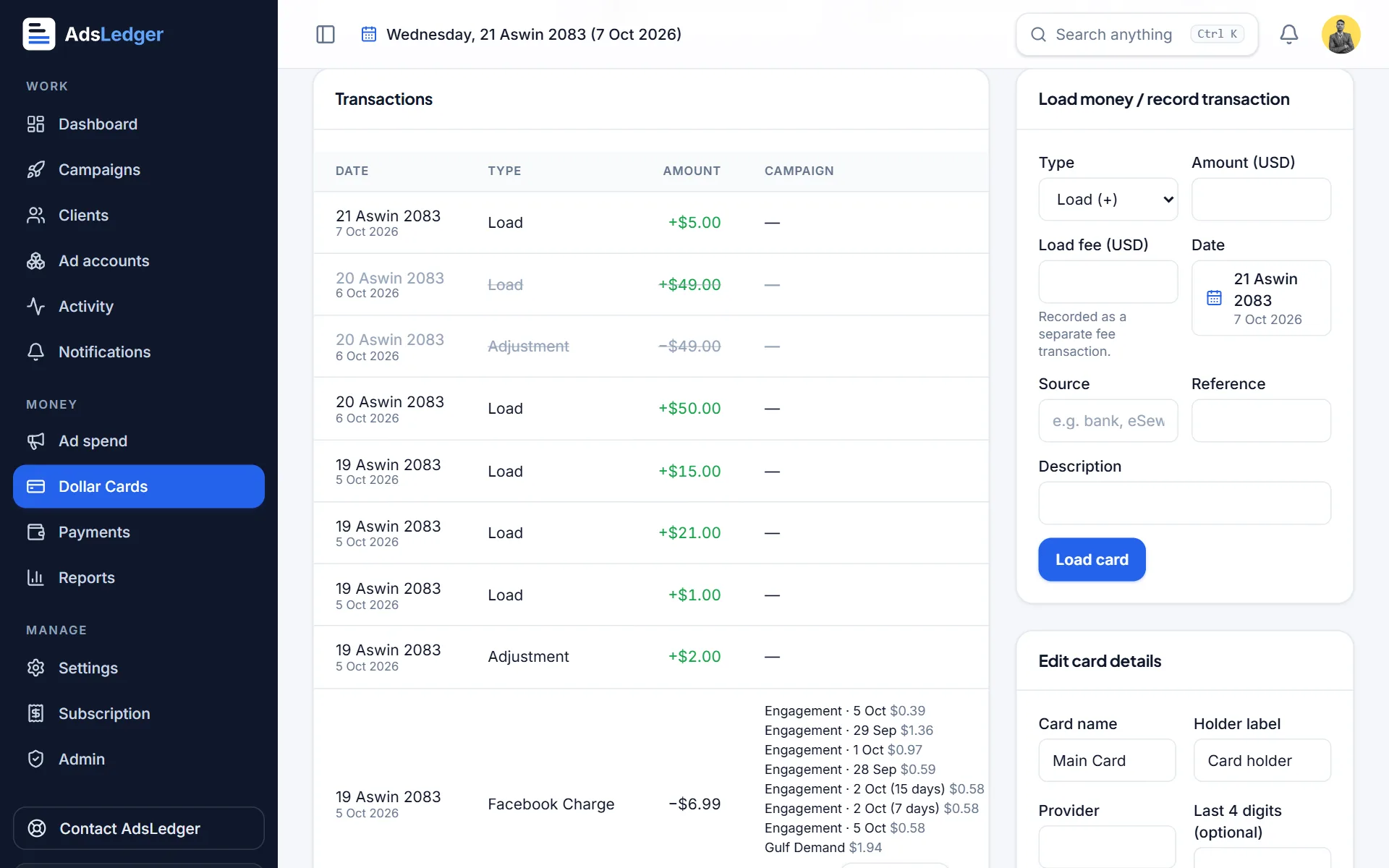
In AdsLedger, a load takes these exact fields and adds the rupee cost to your money-out report automatically, while the card balance and yearly limit left update on the card page. The load a dollar card tutorial shows it with screenshots.
Frequently asked questions
Can I load my dollar card from mobile banking?
At many banks, yes. Global IME, for example, lets you top up its E-Com card free through mobile banking. Some banks only allow branch loading or charge the same fee on both, so check your bank's app and tariff.
Can I load a dollar card using eSewa or Khalti?
Loads come from your bank account, not directly from a wallet. You can move money from a wallet to your bank account first if your wallet allows it, then load the card from the bank app.
What exchange rate is used to load a dollar card?
Your bank's US dollar selling rate on the day of the load. It is slightly higher than the Nepal Rastra Bank reference rate. Your voucher or app confirmation shows the exact rupees debited.
Is there a minimum amount to load?
Global IME says you can load as little as USD 1 or 2. Other banks may set their own minimum, so ask yours.
Sources
- Boost Facebook Page Effectively in Nepal Using Global IME Bank E-COM Card
- Dollar Cards: Everything You Need to Know (Global IME Bank)
- Prabhu Bank 500 Dollar Card
- Best Dollar Card in Nepal (NIC ASIA Bank blog)
- Siddhartha Bank E-Com Card
- Foreign Exchange Rates (Nepal Rastra Bank)
- Nepali banks can issue prepaid dollar cards now. Here are basics you need to know about (OnlineKhabar)
Fees, limits and rules change — always confirm with your bank, Meta or the Inland Revenue Department. Examples are illustrations, not quotes.

