
Set your billing rate, cost rate and card fee
Tell AdsLedger what you charge clients per dollar (billing rate), what a dollar costs you (cost rate) and your card fee, so every campaign's bill and profit are right.
4 steps2 min
Video coming soon
Follow the steps below in the meantime.
1Open Settings → Billing & exchange rates
Go to Settings and scroll to Billing & exchange rates. The three boxes at the top show the rates in use today.
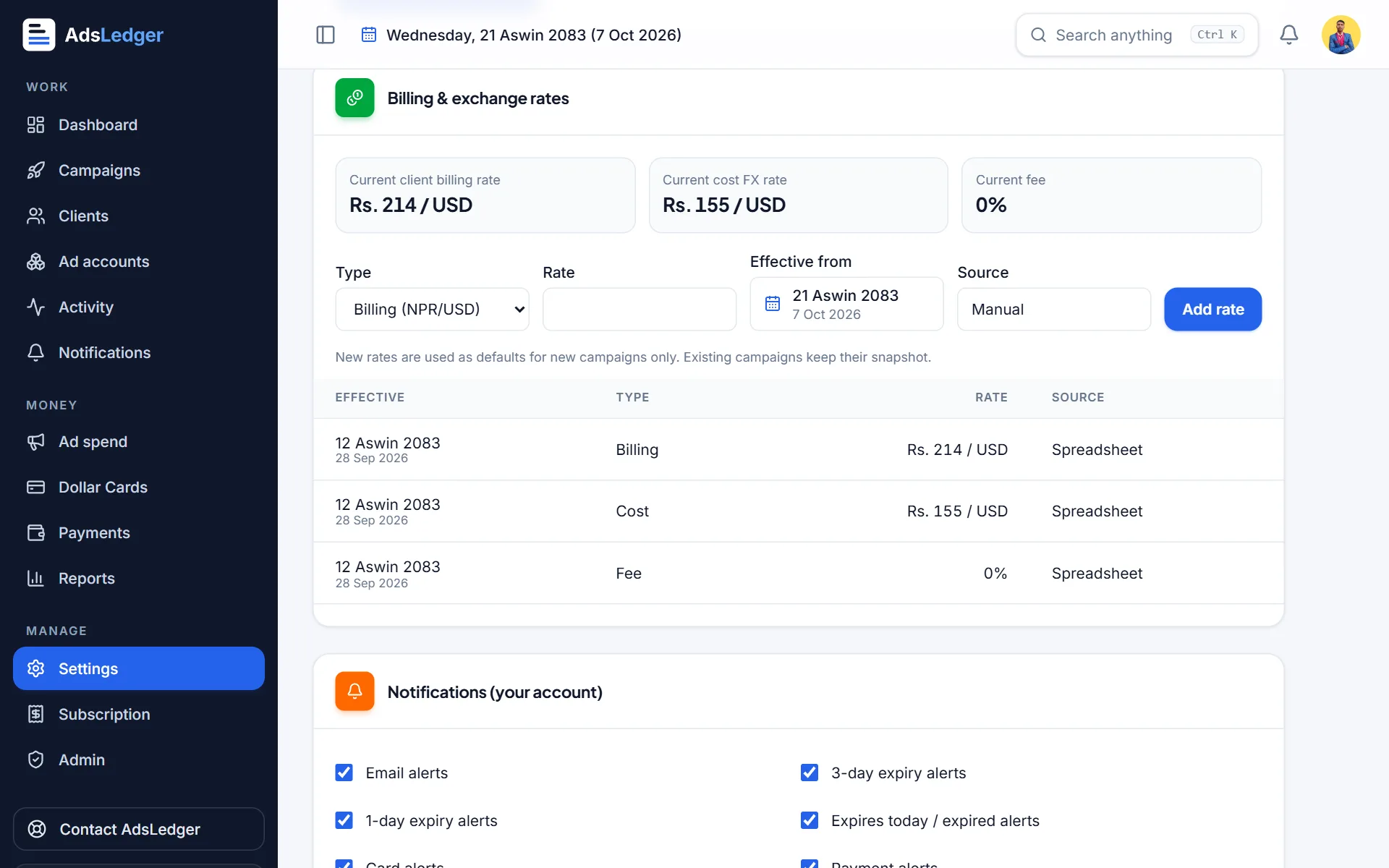
Billing and exchange rates in Settings · sample names 2Add a billing rate
Choose Billing (NPR/USD) as the type, enter what you charge clients for one dollar (for example 214), pick the date it starts and press Add rate.
3Add a cost rate and fee
Repeat with Cost (NPR/USD) — what you pay for one dollar on your card (for example 155) — and Fee if your bank charges a percentage per transaction.
4Understand what changes
New rates are used for new campaigns only. Every campaign keeps the rates it was created with, so changing today's rate never rewrites last month's profit. You can still override the billing rate for a single client on the client's page.

